SharePoint Framework (SPFx) is a Microsoft solution that provides client-side development support for web parts and extensions in SharePoint using JavaScript and its associated frameworks and libraries. It’s easy to integrate with SharePoint data and extends functionality to Microsoft 365 services. As It is compatible with modern web technologies and able to work seamlessly both in SharePoint Online and on-premises versions, SPFx has become the preferred choice for many developers working in SharePoint. In this article, we will explore why and when developers should choose SPFx, highlighting its benefits and optimal use cases.
Understanding: Why Choose SPFx
Modern Web Technologies Compatibility
Benefit: SPFx’s compatibility with popular frameworks like React, Angular, and Vue.js empowers developers to leverage familiar tools and libraries, facilitating faster development cycles and easier maintenance.
Example: By building a corporate intranet portal using SPFx and React, developers can uplift the power of React’s component based architecture and state management capabilities. This allows for the efficient reuse of components across different parts of the portal, leading to consistent user experiences and streamlined development workflows.
Seamless Integration with Microsoft 365
Benefit: SPFx enables organizations to create enhanced digital experiences within the Microsoft 365 ecosystem, through seamless integration with other Microsoft services and tools, such as Microsoft Teams, Microsoft Viva, and Outlook.
Example: An employee directory created using SPFx retrieves data from Microsoft Graph, enabling rich user profiles and interactive organizational charts. By exposing this directory within Microsoft Teams, employees gain easy access to organizational information directly within their collaboration platform, improving a more connected and collaborative work environment.
Client-Side Development
Benefit: SPFx’s client-side execution enhances performance by shifting processing tasks to end users devices, reducing server load and improving responsiveness.
Example: Implementing a project management dashboard using SPFx ensures a smoother and more responsive user experience compared to traditional server-side solutions. With SPFx, the dashboard can dynamically fetch and update data without full page reloads, providing real time insights and improving productivity for project teams.
Responsive and Adaptive Design
Benefit: SPFx web parts are designed to be responsive and adaptive, ensuring consistent user experiences across devices of varying screen sizes.
Example: Developing a company newsletter with SPFx guarantees that the content adapts seamlessly to different devices, maintaining readability and usability whether accessed on desktops, tablets, or smartphones. This responsiveness enhances user engagement and accessibility, catering to the diverse preferences and behaviors of modern digital audiences.
Optimal Usage: When to Use SPFx
Custom Web Parts
SPFx is ideal for developing custom web parts tailored to specific business needs. Whether it’s a dashboard for tracking key performance indicators (KPIs) or a project management tool integrated directly into SharePoint, SPFx empowers developers to create intuitive and powerful solutions.
Use case: Designing a dashboard to track key performance indicators (KPIs) integrated directly into SharePoint sites.
Single Page Applications (SPAs)
When considering Single Page Applications (SPAs), SharePoint Framework (SPFx) becomes an attractive choice in various scenarios. With SPFx, businesses can create customized user experiences, can achieve enhanced performance through client-side rendering, seamless integration with SharePoint data and APIs, ensure responsive design for cross device compatibility.
Use case: An online training platform was developed using SPFx and Angular, providing seamless navigation and rich interactivity within SharePoint.
Dynamic Data Retrieval
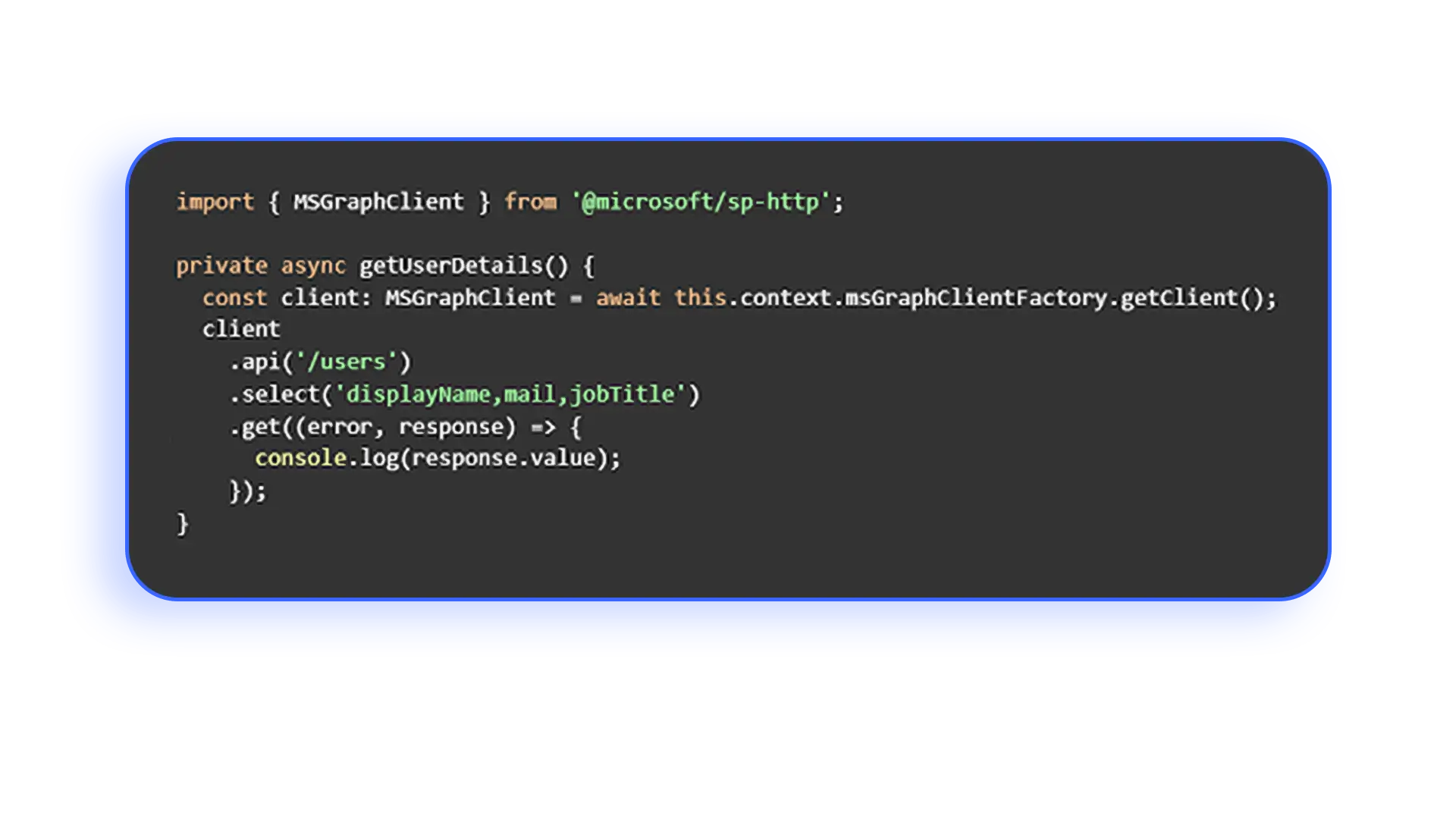
SPFx web parts can dynamically retrieve and display data from a wide range of sources, including SharePoint lists, Microsoft Graph, and external APIs, using secure and efficient connections.
Use case: A company needs a SharePoint dashboard that displays up-to-date project details, employee information from Microsoft Graph, and market news from external APIs.
Event-driven Extensions
Using SPFx, developers can create extensions that respond to events in SharePoint, like item additions or modifications, providing dynamic responses such as notifications or workflow triggers.
Use case: A department needs automated notifications and task updates when new documents are added to a SharePoint library.
Custom Intranet Builds
Maintaining consistent brand representation across SharePoint sites, aligning visual elements, messaging, and user experiences with the organization’s identity.
Use case: Personalizing themes, layouts, and navigation controls to create visually appealing intranet portals aligned with brand identity.
Integration Tasks
Integration tasks within custom intranet builds involve seamlessly connecting various systems, tools, and data sources to enhance functionality and streamline workflows. This may include integrating third-party applications, enterprise systems, and cloud services with SharePoint sites to provide users with unified access to information and resources.
Use case: A finance department uses SPFx to build a budget tracking tool that integrates with Excel and Power BI, facilitating streamlined reporting.
Migration Projects
Migration projects involving SharePoint Framework (SPFx) are particularly relevant when organizations are transitioning from legacy SharePoint environments or other platforms to modern SharePoint Online or SharePoint Server environments
Use case: A healthcare provider migrating from SharePoint 2013 to SharePoint Online used SPFx to modernize their document management system, improving performance and usability.
Conclusion
By understanding when and why to opt for SPFx, businesses can uplift its full potential to drive innovation, improve collaboration, and enhance user experiences within the Microsoft 365 ecosystem.