App development cost is simply the amount spent to turn an idea into a working app. It covers planning, design, development, testing, launch, and ongoing support. Here in Bangladesh, costs tend to be more reasonable compared to many places, but that doesn’t mean quality takes a backseat. Skilled developers know how to work smart, balancing technology and budget. Simple apps might start at a few thousand dollars, and as features grow, so does the cost. Emerging tech like AI is also changing how costs shape up.
What is App Development?
App Development (short for Application Development) is the process of creating software applications. These apps work on smartphones, tablets, or computers. Mobile apps often require separate coding for iOS and Android, which naturally pushes costs up. Web apps run through browsers, so they’re quicker and less expensive to make but can’t tap deep into device features. Desktop apps usually demand more resources and time, driving the price higher.
Types of App Development and How They Affect Cost?
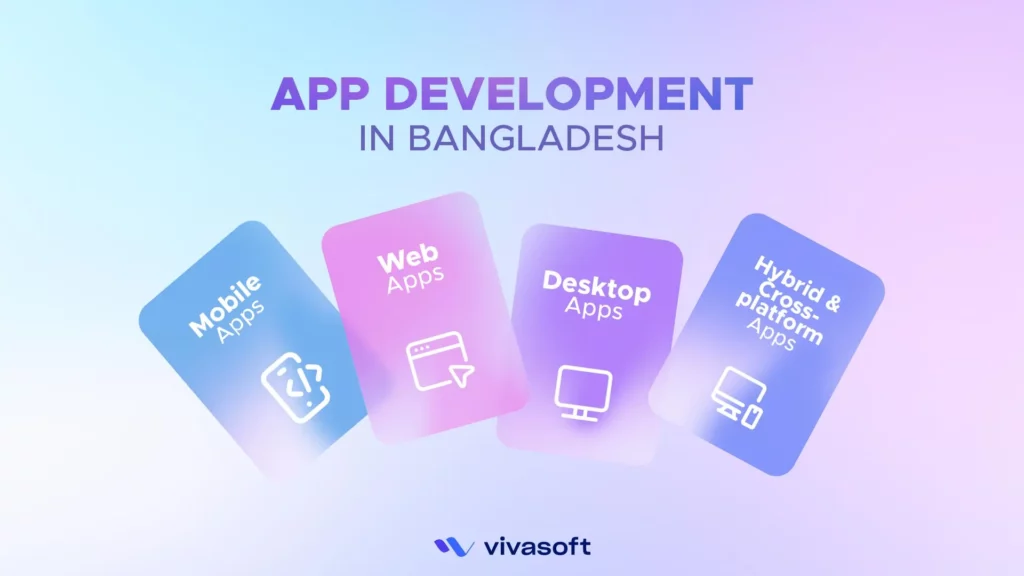
Different apps come with different needs, and that’s what drives the price. Mobile apps usually need separate versions for iOS and Android. Web apps run through browsers, while desktop apps demand more power and resources. All of this shapes the budget in its own way.
Mobile App Development
Mobile apps are the most popular types of app development. Companies choose between native or cross-platform frameworks for mobile app development.
- Native: Native apps use Swift for iPhones and Kotlin for Android phones. These apps are fast and can use phone features well. They cost between $20,000 and $150,000 or more because they perform smoothly and tap into phone features deeply.
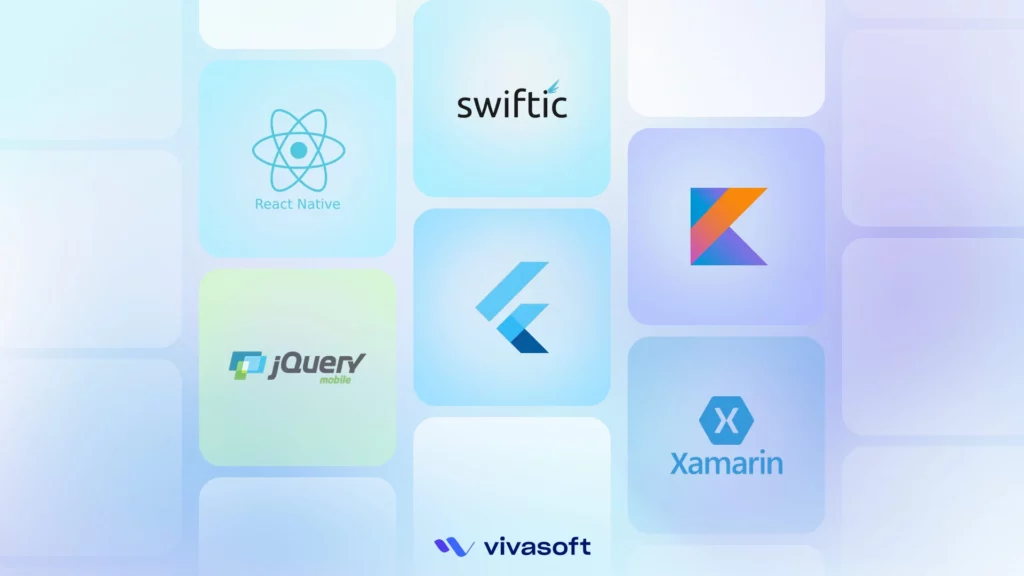
- Cross-platform: Many teams use React Native or Flutter. This can bring the cost down to roughly $25,000 to $80,000. It’s a practical option when balancing cost and quality.
Web App Development
Web apps run in browsers. They mainly help the government, schools, and online shops.
- Progressive Web Apps (PWAs): PWAs work offline and behave like real apps. They’re cheaper, usually $10,000 to $50,000, which makes them appealing when budgets are tight.
- Single Page Applications (SPAs): These apps load one page and update fast without a full refresh. Tools like React, Vue, or Angular are used here. They typically cost $15,000 to $70,000 depending on features and integrations.
Desktop App Development
Desktop apps are less common but useful. They work in offices, factories, and schools.
- Windows, macOS, Linux: Desktop apps are less common but useful. They work in offices, factories, and schools. Many use Windows apps made with C# and .NET. Costs for desktop apps usually start at $50,000 and can go to $120,000 because of their complexity and need for power.
- Electron-based apps: Others use Electron to build apps that run on many computers. Apps like Slack and VS Code are built with Electron. It offers a solution at a lower price ($30,000 to $90,000), though sometimes at a slight cost to performance.
Hybrid App Development
Hybrid or cross-platform apps are growing fast. Many teams start this way to launch fast. Later, if needed, they shift to native apps for more speed or features.
- One codebase, multiple platforms: Flutter and React Native let one codebase serve mobile, web, and desktop. Costs here run from $25,000 to $90,000, a good option for startups or MVPs wanting to balance time and cost without losing much quality.
How Much Does It Cost to Develop an App in Bangladesh?
A simple app without a backend can cost around $300 to $500. But if you add logins or payments, the price goes up to roughly $700 to $1,200. Also, apps with live updates, GPS, or real-time features start near $1,200 and can go beyond $3,000 when complexity grows.
| Component | Local Rate (BDT) | Timeframe |
|---|---|---|
| Requirement + Wireframe | $50–$100 | 3 – 5 days |
| UI/UX Design | $80–$200 | 1 week |
| App Development (Frontend) | $250–$500 | 2 – 3 weeks |
| Backend + API | $300–$600 | 3 – 4 weeks |
| Admin Panel (optional) | $150–$300 | 1 – 2 weeks |
| Payment + Firebase | $50–$150 | 3 – 5 days |
| Bug Fix & Testing | $50–$100 | 4 – 5 days |
| Deployment | $20–$50 | 1 – 2 days |
Cost-Saving Tips for Bangladeshi Startups
For Bangladeshi startups, every choice from picking the platform to deciding features hits the budget hard. Being sharp and focused on planning can save a lot of unnecessary costs.
- Go cross-platform right away. Instead of paying double for Android and iOS apps, pick Flutter or React Native. It cuts both time and money.
- Stick to core features first. Don’t cram everything in at once. Build the basics, get feedback, then add on.
- Hire local developers. The talent pool here is solid, and it costs way less than going abroad.
- Leverage existing tools and frameworks. No need to start from scratch when open-source solutions do most of the heavy lifting.
- Keep design simple. Clean and easy beats flashy but expensive.
- Automate testing where you can. It costs upfront but saves a ton fixing bugs later.
- Be crystal clear about what’s needed from the start. Changing plans mid-project just drains time and money.
- Get multiple quotes and tie payments to milestones. It keeps things transparent and fair.
What Factors Affect the Cost of App Development?
The cost of app development isn’t random. Instead, it shifts with choices, scale, and context. What you build and how you build it directly shapes the final bill.
- Platform(s) targeted: Developing for Android alone is more cost-effective and aligns well with the needs of most local users. Adding iOS means more testing, extra design adjustments, and possibly separate codebases.
- App complexity & features: A basic app is one thing. But add payment, real-time tracking, chat, or admin dashboards? That’s system integration, backend setup, and loads of testing.
- Design requirements: Design isn’t just about color. Basic layouts are cheap, but custom interfaces, smooth transitions, and branded UX cost more.
- Development team (in-house vs agency vs freelance): Freelancers cost less but may lack structure. Agencies offer process, QA, and full delivery, but charge more. In-house teams give full control, but mean monthly overhead.
- Tech stack choices: The tools and languages picked matter a lot. Some stacks speed up development but might cost more in licensing or specialized skills. Others are cheaper but may slow things down or cause future issues. Choosing the right tech balance can save a lot or add unexpected costs.
- Backend infrastructure (serverless vs traditional): Going serverless means paying for what’s used, which can be cheaper upfront and easier to scale. Traditional servers cost more upfront with fixed fees but offer steady control. The decision affects hosting, scaling, and ongoing expenses in big ways.
- Maintenance, updates & scaling: App launch is just the start. Keeping it updated, fixing bugs, and adding features all require an ongoing budget. Plus, if the user base grows fast, scaling servers and optimizing performance can push costs higher. Planning ahead here helps avoid surprises.
App Development Cost Breakdown – Example for a Medium-Complexity App
For a medium-level app, it can range quite a bit somewhere between fifty to a hundred fifty thousand dollars. Why such a gap? Because every little feature, every design detail, and the time it takes to build all that matters. It’s not just throwing money around; it’s about where the money goes.
Design
Design, for instance that’s where the app really starts to feel real. It’s about making sure users don’t get lost, the app looks good, and feels smooth. That alone might cost fifteen to thirty thousand dollars, depending on how detailed it gets.
Development
Then comes development. This is the core- coding the front-end that users see, and the back-end that keeps everything working behind the scenes. Development usually takes the biggest part of the budget, say thirty-five to seventy-five thousand.
Testing & QA
Testing and quality checks? Those aren’t optional. Apps have to work well on lots of devices, and catching bugs early saves headaches. That might cost around eight to eighteen thousand dollars.
Project Management
Project management might seem invisible, but someone has to keep the team coordinated and the schedule on track. That can be five to fifteen thousand, depending on the project’s complexity.
Deployment & Publishing
And finally, deployment, that’s getting the app into stores, setting up servers. It’s smaller compared to other parts but absolutely necessary, maybe two to four thousand dollars.
Here is the app development price breakdown by a table:
| Phase | Estimated Hours | Hourly Rate (USD) | Approximate Cost (USD) |
|---|---|---|---|
| Design | 100 | 25 | $2,500 (can scale to $15k–30k) |
| Development | 400 | 35 | $14,000 (can scale to $35k–75k) |
| Testing & QA | 150 | 20 | $3,000 (can scale to $8k–18k) |
| Project Management | 80 | 30 | $2,400 (can scale to $5k–15k) |
| Deployment & Publishing | 40 | 25 | $1,000 (can scale to $2k–4k) |
| Total | 770 | $22,900 (typical base, scales with project scope) |
App Development Lifecycle
Building an app isn’t a linear task. It follows a structured process: from the initial idea to design, development, testing, deployment, and maintenance.
Ideation & Planning
Every app starts with a simple need. First, teams think: What will this app do? Who is it for? Then comes the plan. That’s where ideas turn into steps- what to build first, which tools to use, how long it might take, and which platforms it’s for. This sets the path for the full journey.
Design (UI/UX across platforms)
Design connects people to the app. Designers create wireframes, map user steps, and set the look and feel. On mobile, they think about thumbs, taps, and small screens. On the web, they focus on speed and smooth layout. Desktop needs more space and often more tools. The aim stays the same- one clean style that feels right everywhere.
Development
Now, the team builds. But each platform works a bit differently.
- Mobile apps may need separate codes for iOS and Android, or one shared code with Flutter.
- Web apps need quick load time and easy clicks.
- Desktop apps deal with file installs and deeper system links. Yet, in all cases, the code must be strong, simple, and ready to grow.
Testing & Quality Assurance
Before launch, it’s time to test. On mobile, this means checking many phones, screen sizes, and OS versions. On the web, you try different browsers and networks. On the desktop, you check installs and system fit. Tests can be small (like one button), or full (like real user paths). The goal is to catch bugs early.
Deployment
Mobile apps go to the App Store or Google Play- both have rules and wait times. Web apps go live on servers and can update fast. Desktop apps get shared with download links or stores. Each needs a way to update, track issues, and roll back if needed. A good setup helps it all run smoothly.
Post-launch maintenance
The app is out but work goes on. Teams watch how it runs, read reviews, and fix bugs. Phones and systems change, so updates must follow. New features can be added too. Apps that grow with users stay useful. That’s why post-launch isn’t a pause here, ongoing maintenance is a part of continuous development.
Technology Stack and Cost Implications
A technology stack is the foundation of any app. It combines frontend, backend, and essential tools to create smooth, reliable, and scalable software experiences.
Frontend
This is the part people see and touch. On mobile, iPhones use Swift and Androids use Kotlin. But when speed matters, teams often go with Flutter. It works for both. On websites, tools like React, Vue, or Angular help build clean screens. As for desktop, some use Electron and others go with .NET depending on app requirements. Native apps can cost $30k–$80k each, while Flutter can cut that by about 20–30%.
Backend
Backend stores your data, checks your login, and runs your requests. For fast chat or live updates, Node.js fits well. If you want a safe and neat setup, Django is strong. Ruby on Rails helps you build quickly. Firebase is also popular. It’s quick to start with, but not always easy to grow. Typically, backend setups cost anywhere from $20k to $70k depending on the tech and complexity.
Tools
Apps need helpers to build, test, and launch smoothly. GitHub keeps the code safe and teams in sync. CI/CD tools help send updates without delay. Docker makes sure the app runs the same way everywhere. And finally, APIs. They help different parts of the app talk to each other, safely and fast. Many tools offer free tiers, while paid plans generally range from $10 to $50 or higher as requirements increase.
Use Cases by App Type
App development starts with the app’s role that shapes how people use it.
- Mobile Apps handle things you check daily- social feeds, health stats, or quick services like calling a ride or ordering food.
- Web Apps focus on business tools like SaaS, dashboards that show data, and growing online stores.
- Desktop Apps handle tough jobs like productivity software, design tools, and offline apps for data and enterprise work.
Top App Development Companies in 2025
With solid systems, sharp tech, and clear priorities, app development companies deliver apps that hold up under huge load. Different industries have different needs but the output stays dependable and built to last.
Vivasoft Limited

Vivasoft Limited is a leading mobile app development company that builds scalable apps designed to grow with your business. Not only that, the development team uses cross-platform tools and cloud backends to make things smooth.
Whether a business needs an MVP or a full app, or just extra hands, Vivasoft is always there to step in. The company has successfully served over 50 global brands and gained their trust. The professional app development team of Vivasoft are experts in many tech stacks and always deliver work on time. Even with offshore app development, the process stays simple and clean.
Check Vivasoft Limited’s ranking on GoodFirms among the top mobile app development companies in Bangladesh.
Kaz Software
Using Flutter, Ionic, and Xamarin, they craft apps that run on both Android and iOS often from a single codebase. But tech is just a tool. What really drives them is performance. Their deep SDK knowledge means fewer issues, smoother updates, and better speed. Whether it’s a startup idea or an enterprise rollout, they stay efficient and easy on the budget.
Enosis Solutions

Enosis doesn’t just build apps, they shape smooth user journeys. They work with native and cross-platform tech, always picking what fits best. But beyond the code, it’s their clear talks and clean planning that win clients over. Their agile teams adjust fast, ship on time, and focus on results making every project easier to manage.
BJIT Limited

BJIT brings 20 years of calm, solid software work. They handle mobile, cloud, and even embedded systems without blinking. Native or hybrid? They do both. Plus, their DevOps and QA game is strong. When clients need secure, enterprise-grade apps or want to modernize old systems, BJIT is already ahead of the curve.
What Are the Main Challenges for App Development?
App development isn’t only about adding features. It’s also about dealing with real problems. Slow internet, different devices, each choice matters.
Cross-platform consistency
Devices vary from new iPhones to basic Androids. Making apps work smoothly on all, without glitches, takes serious testing and compromises. One wrong move, and users on older phones get frustrated and leave.
UI/UX responsiveness
Internet speeds differ widely. Apps must load fast and stay smooth even on slow 3G connections. Designers must balance simplicity and style to avoid wasting users’ data and patience.
Security & privacy
Many local apps lack strong security measures. Data protection laws are evolving, making compliance tricky. Without solid security, apps risk breaches that destroy user trust.
Performance optimization
Phones here aren’t always powerful, and data is costly. Apps must be lightweight and efficient, any lag or battery drain means users uninstall quickly.
Common Challenges That May Increase App Development Cost
When working on an app, some things almost always make the cost go up. Knowing these early saves headaches later.
Scope creep
This one’s common. It’s when extra features keep being added after work has started. Every addition means more coding, more testing, more time and that always means more money.
Changing requirements
Sometimes the app’s goals shift during development. When that happens, developers must redo code and test again. It’s not a small fix, it can impact the entire app and raise costs.
Security and compliance (especially for finance, health apps)
Apps handling sensitive info have to follow strict rules, things like encryption, secure login, and legal standards. Implementing these takes specialized work and careful checks, which increase development time and cost.
Performance optimization for low-end devices
Making an app run well on older or less powerful devices isn’t simple. It takes extra effort to optimize memory, CPU, and graphics, which adds to development time and budget.
How to Choose the Right Type of App Based on Budget
The first thing to understand is the budget. That’s what really shapes the whole app journey. Not every app needs all the fancy features like GPS or offline use. It’s about what’s really needed and what fits the budget available.
Begin by Defining Priorities
Start by asking what’s most important. How much money is there to spend? What features are absolutely necessary right now? How fast does the app need to be ready? And how much performance is needed compared to the cost?
Matching App Types to Budget
Native apps cost more but perform best. Importantly, web and hybrid apps save money but may limit features. So it is important to match app type carefully to avoid overspending.
- Native apps deliver the best performance and access to device features, but they come with higher costs and longer development times. This makes them ideal only if the budget is sufficient to support the investment.
- Web apps are more affordable and quicker to develop. They work well if the app doesn’t need deep access to device hardware and if users have reliable internet. This option fits smaller budgets or projects with tight timelines.
- Hybrid apps offer a middle ground, combining lower cost with broader reach. They let developers build once and deploy across platforms, saving money without sacrificing too much on user experience.
- Desktop apps tend to be the most expensive and complex, suitable when high computing power or enterprise integration is necessary. Their development cost and maintenance should be justified by business needs.
Budget-Focused Decision Matrix
Focusing on budget first means making realistic choices about what features and performance levels the project can support. This avoids overspending while still meeting core goals. When budget and app needs align, the best type becomes clear, guiding the development toward success.
| App Type | Budget Consideration | Strengths | Trade-offs | Ideal For |
|---|---|---|---|---|
| Native | High budget | Best performance, full device access | Longer, costlier development | Complex apps needing full hardware use |
| Hybrid | Moderate budget | Cross-platform, faster build | Slightly less native feel | Startups balancing cost & reach |
| Web | Low budget | Quick, inexpensive updates | Limited device features, needs internet | Simple apps, content delivery |
| Desktop | Variable, often high | Powerful, stable | Complex deployment | Enterprise-level software |
Future of App Development & Cost in Bangladesh
It’s clear things are shifting. AI quietly handles all the repetitive bits making the whole process smoother, faster. Then cloud-native tech breaks apps into smaller parts. So, if one piece falters, the rest just keep going without any fuss.
Low-code platforms have changed the game, letting folks who aren’t full-time coders build apps quicker, which naturally trims the time and cost. On top of that, WebAssembly and Progressive Web Apps make web apps load faster and even work offline, almost like real apps on the phone.
Looking ahead to 2026, 2027, these changes won’t slow down. Simple apps built this way should cost less. But if an app needs heavy AI or complex features, it’ll come with a higher price but that’s the trade-off for something really valuable.
Conclusion
App development cost varies a lot, depending on what’s needed. Sometimes, a simple app can be made for just a few thousand dollars. But if it’s got a lot of features, or needs to run on both Android and iOS, costs can rise quite a bit. Design, backend complexity, and time all play a role, too. What makes a big difference is working with an experienced Bangladeshi company. They know how to keep things balanced- good quality without overspending. That way, the app gets done right and stays within budget.